Showing posts with label psd to wordpress conversion. Show all posts

Manual Coding of PSD to Wordpress and its Benefits

Sunday, March 4, 2012 0 comments

Wordpress has always been known as a quality blogging platform for months and years now. However, WP is no more just a blogging platform. In fact, it is much more than only a blogging tool. With Wordpress, you can manage an entire web site from scratch, which includes creating it as well. And this is where PSD to Wordpress seems to be the exact answer to everything you would probably need.

PSD to WordPress Conversion an Incredible Process

Tuesday, February 7, 2012 0 comments

Over the recent couple of years, popularity of WordPress has increased to a great level. People have realized the potentiality of this publishing platform and using it to host their personal sites. With the increased popularity of WordPress, the significance of PSD to HTML and PSD to HTML5 conversion processes have also increased. A systematic and well designed PSD to HTML conversion can benefit you to run your site in a much more organized way. PSD to WordPress theme conversion is an important WordPress development process that is practiced all over the world aggressively. WordPress is a free and open source content management system. A large number of people choose this publishing platform to host their sites. The platform offers a range of free templates and theme.  If you do not go for WordPress development, you have to choose the available theme, which may also be seen on any other site. This is when PSD to WordPress conversion becomes crucial as it ensure individuality of your website by integrating a unique theme for your site. This way you can distinguish your website and make it more attractive and useful. 

How the process is executed? 

PSD is a Photoshop design. When you want to give a new look to your site, just design the theme on Photoshop. Now the page that you will create on Photoshop will be static and hence, you will have to convert it into HTML so that it can be worked with WordPress. While converting PSD to HTML, you also use CSS (Cascading Style Sheet) to define a certain style to the content including text, graphics, images, etc. 

How the PSD to WordPress conversion is an incredible Process? 

There are several advantages of the process that make the process an incredible practice for WordPress website owner. WordPress conversion is not about just the customization of theme but it also ensures benefits that are related to technicalities and functionality of the site. These benefits are: 

Cost-Effective 

WordPress customization is an affordable process. Besides, PSD to CSS/WordPress theme conversion, you may also ask you developers to make some other changes to increase the functionality of your site by enhancing the free modules available with WorldPress. WordPress is easy to install and easy to manage. 

Cross-Browser Compatibility 

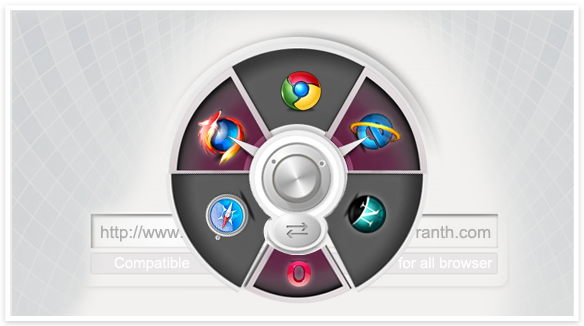
PSD to WordPress conversion offers the facility to increase the cross-browser compatibility of your site. Many a time, a website is not visible clearly on all the browsers. It hampers the popularity of the site. However, while converting your PSD to WordPress, designers make some necessary change in the codes and ensure the site is visible on all the platforms. 
W3C Validation 

World Wide Web Consortium is an international organization that sets standard for World Wide Web and web development technologies. PSD to WordPress conversion help you do necessary changes in the HTML coding ensuring your site follows all the rules and regulations set by W3C. It increases the functionality of your site and ensures smooth operations. 

SEO Friendly 

Besides the above advantages, you can also create tags and Meta tags that can increase the SEO-friendliness of you website. However, when you site is cross-browser compatible and runs according to W3C standards, it is likely to be appear quick in search results automatically. 

Since the PSD to WordPress theme Conversion requires technical knowledge of HTML and CSS, it may not be possible for you to do the job on your own and you may need to hire professional WordPress Developers. You can provide them with all the creative work you have designed or ask them to design a unique PSD file for you. They will not only design the PSD file, but convert it into HTML and CSS and integrate the same on your site.  

Dynamic Website Solution PSD to Wordpress Conversion

Sunday, January 22, 2012 0 comments

Wordpress has emerged as one of the best open source platform for content management systems especially for blogging. Although the launch of wordpress was initially done for an effective tool for writing blogs, it has now gained popularity as the chosen content management system. The content can be easily created, managed and even deleted from a website efficiently by using wordpress. These are the few reasons that has compelled various developments to take place and even it results in PSD to wordpress conversion.

PSD to HTML/wordpress is quite successful in creating robust websites that are highly competent in attracting prospective customers and consequently helps in the growth of a business. An enigmatic web presence is essential nowadays for a lucrative business, therefore it is necessary to convert PSD to CSS/wordpress.
Besides being a dynamic platform for creating websites, PSD to wordpress theme has the capability to enable cross browser compatibility of the website. This feature makes a website to run on different browsers without any major changes. 

Search engine optimization is also considered the most important factor in the success of any website. For online existence, it is essential for a website to be listed at top of all the popular search engines, hence convert PSD to wordpress for an enhanced SAO and a search engine friendly website. 

Some of the other and major advantages of PSD to wordpress conversion are as follows:
1. Websites are made within very less time and a developer can ensure timely delivery.
2. Website markup can be manually coded.
3. Developers can concentrate on a particular task without bothering about SEO and other aspects.
4. Helps in maintaining enhanced income-generating activities on the website.
5. Allows user-registration.
6. Better quality of website content and long-time support in maintaining and controlling the content.
7. Extra flexibility of CMS.

Although PSD to wordpress theme is time consuming, with the help of skilled and proficient wordpress developers one can achieve the desired results in time. It is normally considered better to hire a professional wordpress developer in order to make an enigmatic business website. The PSD to wordpress conversion allows more visitors to visit your website and they can take advantage of various navigation tools present on the website.

The process of PSD to wordpress theme involves the conversion of PSD files to the format of wordpress. 
Here are the steps that are required to convert PSD to wordpress:
1. Though this first step seems to be quite ordinary, it would be able to save your finalization time. In this first step, PSD files are properly analyzed for the level of complexity. CSS code is added with header and footer after dividing the HTML code.
2. This is the second and the most imperative step in the process of PSD to wordpress conversion. It involves the opening of photoshop file that needs to be sliced with the help of any compatible software. The slicing of file is done in parts very carefully and all parts are layered before converting them to .jpg or image format. These .jpg and image files cannot be uploaded without converting them to CSS or HTML format therefore this step needs to be implemented with great care.
3. Third step is to convert PSD to HTML for creating a vibrant website. For a lively website, you must need to make wrapper div; comment and header div as well. Other parts such as website logo, body, name and central image into separate divs.
4. In this last step the static website is converted into wordpress active website.
5. To conclude, the website should be thoroughly for all operations and navigations. Once everything seems perfect, you’re full of life website is ready to launch.

 
HTML Firm © 2011, All rights reserved. | Designed by HTML Firm